
InstaCall Cloud PBX
Cloud PBX.
One business number. Every device.
Unify business calling, conferencing, messaging and collaboration in one cloud phone system. Give your team the flexibility to communicate from mobile, desktop, browser or IP desk phone while admins manage users, routing and analytics from a central portal.
- Mobile, desktop & desk phones
- IVR & intelligent routing
- Centralized management

AI Voice Receptionist
Get Your AI Receptionist.
Stay Worry-Free, Call After Call.
Let an AI voice receptionist welcome your callers, understand what they need and guide the conversation—before connecting them to your team when a human touch is needed.
Automatically greet inbound callers with a clear introduction as your AI assistant.
Respond using your approved business information, services and opening hours.
Collect contact details, the reason for calling and callback requests.
Transfer to the appropriate team or extension based on your configured routing rules.
Configure the greeting, knowledge and handoff rules around your business. Ask our team about availability and integration with your Cloud PBX setup.

Example greeting: “Thanks for calling. I’m your AI assistant. How can I help you today?”
Everything you need. Anywhere you go
A smarter business phone system
without the traditional PBX limits.
A Single Platform
Call, text, chat, access voicemail and collaborate from one business communication workspace.
Simplified Management
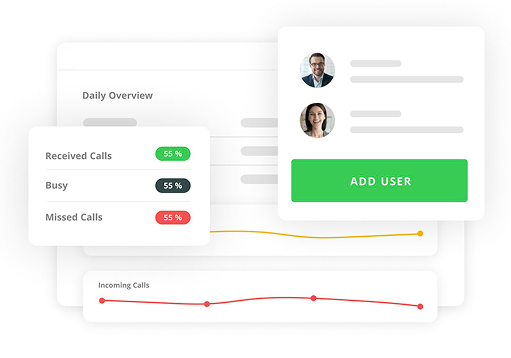
Give administrators and users a central dashboard for phone settings, routing, extensions and everyday management.
One Number. Any Device.
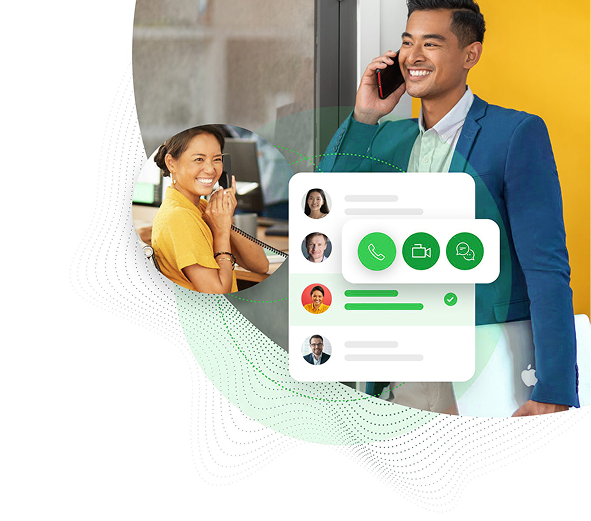
Use your business number from mobile, desktop, browser softphone or compatible IP desk phone wherever your team works.
Team extensions
True mobility
Work from anywhere.
Stay on the same phone system.
Traditional PBX systems keep communication tied to a physical office. InstaCall Cloud PBX lets employees make and receive business calls from mobile devices, desk phones, softphones and browser-based tools while keeping the same business identity.
- Connect office, remote and hybrid teams under one system.
- Keep business calling separate from personal mobile numbers.
- Move between devices without rebuilding your phone workflow.
Intelligent call handling
Route every call
to the right destination.
Build call flows around your business hours, departments and teams. Use auto-attendants, extensions and routing rules to guide callers while keeping the experience consistent across locations and devices.
Plan Your Call FlowCentralized management
Manage phones, users and routing from one portal.
Give administrators a web-based interface to control phone-system settings across users, devices and locations without relying on traditional on-premise PBX hardware.
- Manage auto-attendants, call routing and extensions.
- Control multiple locations and hybrid Cloud PBX / SIP environments.
- Customize phone behavior by schedule and holiday.
- Add users, assign roles and update seat types.
- Review call analytics, recordings and activity.
Key Cloud PBX features
The right tools
for every business call.
Combine everyday calling, routing, administration and collaboration features in one scalable cloud phone system.
Multi-Device Support
Use your business number from smartphone apps, desktop softphones, browser tools or compatible IP desk phones.
Auto-Attendant / IVR
Create customizable menu options that guide callers to the right department and reduce unnecessary transfers.
Voicemail & Call Recording
Receive voicemail notifications and keep call recordings available for training, quality assurance and record-keeping.
HD Voice
Support clear business conversations with high-quality VoIP audio across compatible devices and networks.
Extensions & Departments
Expand teams, extensions and departments as your organization grows without adding traditional PBX hardware.
Virtual Fax
Send and receive business faxes digitally without relying on a dedicated physical fax machine.
Webphone / WebRTC
Enable browser-based calling so users can access business voice workflows directly from supported web environments.
Time & Holiday Routing
Change call behavior automatically according to business hours, holidays and custom schedules.
Security & Encryption
Protect supported communications with modern security controls including TLS/SRTP-based encrypted voice workflows.
CRM Pop-Ups & Click-to-Call
Bring customer details into calling workflows and enable one-click dialing through supported CRM integrations.
Centralized Admin Portal
Manage users, routing rules, recordings, IVR configuration and call activity from a web-based dashboard.
High-Volume Call Handling
Scale call capacity for growing organizations, distributed teams and higher-concurrency voice environments.
Frequently asked questions
Cloud PBX,
made simpler.
Talk to our team about devices, routing, migration, integrations or the right Cloud PBX setup for your organization.
Talk to an ExpertWhat is Cloud PBX?
Cloud PBX is a business phone system hosted in the cloud rather than on traditional on-premise PBX hardware. Users connect through supported mobile apps, softphones, browser calling or IP desk phones while administrators manage the system through a web portal.
Can employees use the same business number on multiple devices?
Yes. Cloud PBX can support business calling across compatible mobile devices, desktops, browser-based tools and IP desk phones so employees can stay connected while working from different locations.
Can we create IVR menus and department routing?
Yes. Auto-attendant and IVR workflows can be configured to route calls by department, extension, business hours, holidays and other call-flow rules.
Can administrators manage multiple users and locations?
Yes. The centralized portal is designed to manage users, roles, extensions, routing settings and phone behavior across business teams and supported locations.
Does Cloud PBX support call recording and voicemail?
Cloud PBX includes call-recording and voicemail workflows, including voicemail-to-email style notifications where configured, helping teams with record-keeping, training and follow-up.
Can Cloud PBX connect with a CRM?
Supported CRM integrations can enable features such as customer pop-ups and click-to-call, helping teams connect phone activity with customer workflows.
Can we keep SIP or existing voice infrastructure while moving to Cloud PBX?
Hybrid deployments can be designed around existing SIP and voice infrastructure. The exact approach depends on your current PBX, endpoints, numbers and routing requirements.
How does an AI receptionist handle inbound calls?
When configured for your Cloud PBX, the AI receptionist answers incoming calls, introduces itself as an AI assistant and asks how it can help. It can respond using approved business information, collect caller details and follow your call-handling rules.
Can the AI receptionist transfer a caller to a human?
Your workflow can be configured to transfer callers to a team or extension when they ask for a person or need help beyond the AI’s scope. If the destination is unavailable, a fallback can collect a message or callback request according to your routing setup.
Can we customize the AI receptionist for our business?
The greeting, approved business information, questions and transfer rules can be tailored to your workflow. Ask our team about supported voices, languages, operating hours and integrations for your Cloud PBX configuration.
Modernize business calling
Ready to move your phone system
into the cloud?
Bring business numbers, users, devices, routing and everyday phone-system management into one scalable Cloud PBX environment.
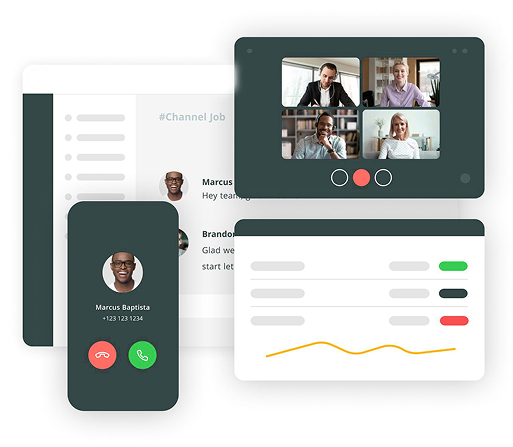
A Single Platform
Your team can call, text, chat, initiate video calls,voicemail and fax from one window.

Simplified Management
Admins and users have access to a simple dashboard for business-wide and individual phone settings.

One Number. Any Device
Call and text from your personal device with your work number via Instacall mobile app.

Multi-Device Support
Use your business number on any device, smartphone app, desktop softphone, or IP desk phone

Auto-Attendant / IVR
Create customizable menu options to guide callers to the right department automatically, reducing wait times and improving customer experience.

Voicemail-to-Email & Call Recording
Receive voicemails instantly in your inbox and securely store call recordings for compliance, training, and quality assurance.

HD Voice With Noise-Reduced Calling
Deliver crystal-clear audio quality with advanced noise reduction technology
Unlimited Extensions & Departments
Grow without limits. Add any number of extensions and departments without worrying about hardware or capacity constraints.
Virtual Fax
Send and receive faxes through email.
Webphone & Browser Calling (WebRTC)
Add call recording for training and record-keeping.
Time-Based & Holiday Routing
Time-Based & Holiday Routing
Built-In Security & Encryption
Your communication is secured with enterprise-grade TLS/SRTP encryption to prevent eavesdropping, spoofing, or unauthorized access.
CRM Pop-Ups & Click-to-Call
Automatically display customer information during incoming calls and enable one-click dialing from within any CRM.
Centralized Admin Portal
A powerful, web-based dashboard to manage users, routing rules, recordings, IVR, and analytics—no technical skill required.
High-Volume Call Handling
Built for scalability, handling thousands of concurrent calls seamlessly