
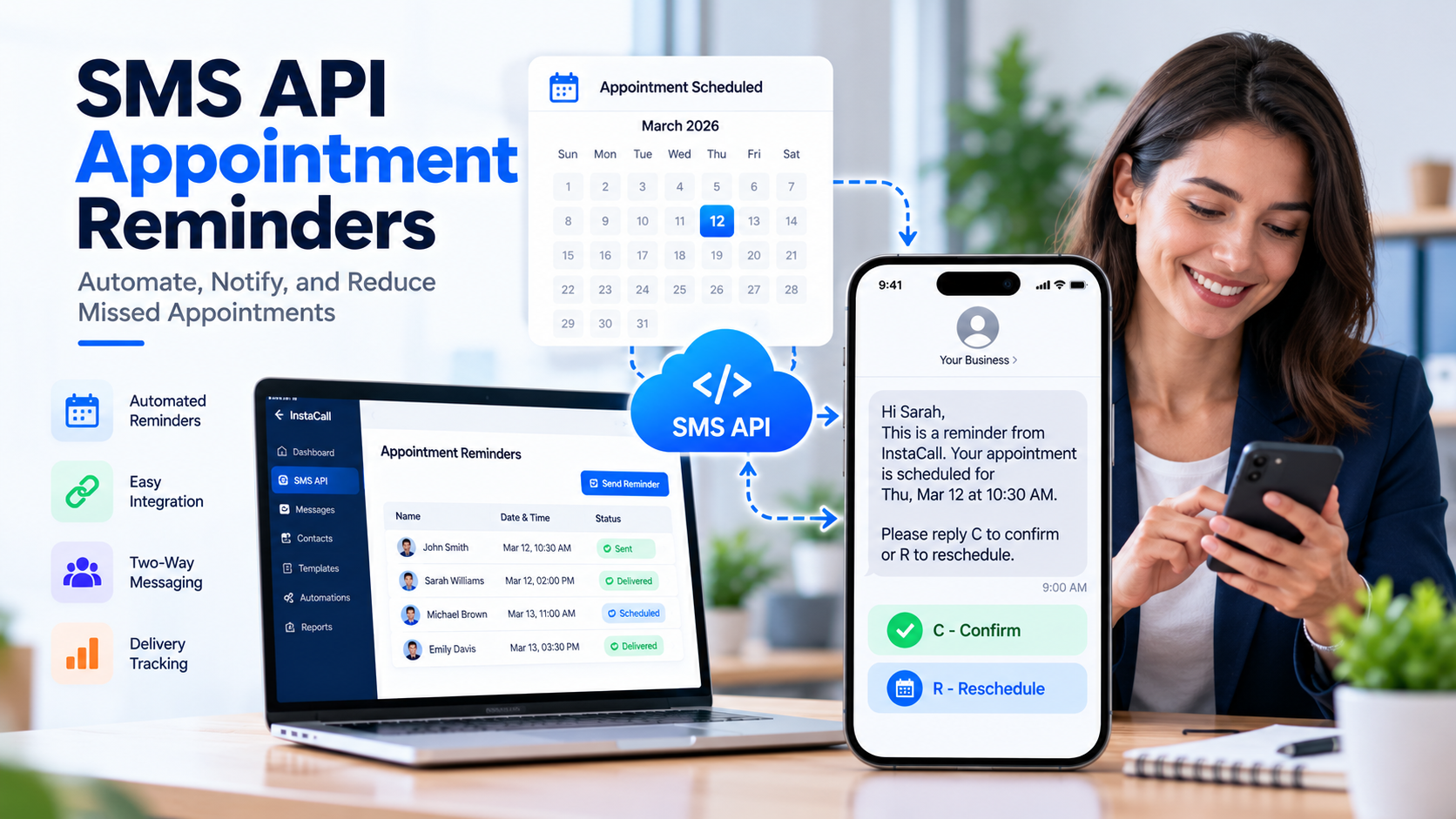
A customer books an appointment, receives a confirmation, and plans to show up. Everything seems organized—until the appointment day arrives and the customer forgets.
It happens in many appointment-based businesses. A busy schedule, an overlooked calendar entry, or a simple misunderstanding about the time can result in an empty appointment slot.
For businesses, missed appointments create more than scheduling inconvenience. They can disrupt employee availability, reduce revenue opportunities, and leave other customers waiting for appointments that could have been available.
Sending reminders helps, but manually texting every customer becomes difficult as appointment volume grows.
That’s where SMS API appointment reminders become useful.
By connecting an SMS API with an existing booking system, businesses can send timely text reminders automatically, keep appointment information consistent, and simplify customer communication.
In this guide, we’ll explore how SMS appointment reminder APIs work, their practical benefits, the setup process, and what U.S. businesses should consider before implementing automated messaging.
What Are SMS API Appointment Reminders?
SMS API appointment reminders are automated text messages triggered through a connection between a business application and an SMS messaging service.
An API, or Application Programming Interface, allows different software systems to exchange information and perform specific actions.
In this case, the business’s appointment scheduling software communicates with an SMS platform to send a reminder to the customer’s mobile number.
For example, a customer books an appointment for Thursday at 2:00 PM.
The scheduling system stores the appointment details. Based on the business’s configured reminder schedule, an SMS request is generated before the appointment.
The customer might receive:
“Hi Sarah, this is a reminder from Brightway Services about your appointment on Thursday at 2:00 PM. Please contact us if you need to make any changes.”
No employee needs to type and send that individual message manually.
The process can happen automatically, provided the systems are properly integrated, the message is authorized, and the appointment record remains valid.
How Does an SMS Appointment Reminder API Work?
An automated appointment reminder system generally involves five components.
1. Appointment Booking
A customer schedules an appointment through a website, booking application, CRM, or internal scheduling system.
The system records the appointment date, time, customer contact information, and relevant communication preferences.
2. Reminder Scheduling
The business defines when reminders should be sent.
For instance, a system might schedule one reminder 24 hours before the appointment and another closer to the scheduled time.
The exact schedule should reflect customer preferences, operational needs, and applicable messaging rules.
3. API Request
When the reminder becomes due, the application submits a messaging request through its SMS API integration.
The request generally includes the recipient’s phone number, approved message content, and the information required by the provider.
Authentication credentials verify that the request comes from an authorized application.
4. Message Processing
The SMS platform processes the request and routes the message through its supported messaging infrastructure.
A successful API response generally means the request was accepted for processing—not that the recipient has already received or read the text.
5. Delivery Tracking and Customer Response
The messaging platform may provide status updates through its dashboard or webhooks.
Where supported, customers can also respond to confirm, cancel, or request a different appointment time.
Those responses can be connected to the business’s existing workflow.
This combination of automation and visibility makes SMS API appointment reminders more useful than a basic manual texting process.
Why Businesses Use Automated Appointment Reminders
Automated appointment reminders address several everyday operational challenges.
Reduce Avoidable Missed Appointments
Customers sometimes miss appointments because they forget the time or overlook a confirmation email.
A timely text can bring the appointment back to their attention.
While SMS reminders cannot prevent every missed appointment, they provide another opportunity for customers to prepare or notify the business if their plans have changed.
Save Administrative Time
Manually sending reminders requires employees to review appointment schedules, identify customer numbers, and prepare individual messages.
An automated workflow reduces repetitive tasks.
Employees can spend more time assisting customers and managing activities that require personal attention.
Improve Scheduling Visibility
When customers are given a convenient way to confirm or request changes, businesses may gain earlier notice of scheduling issues.
A canceled appointment can potentially be offered to someone else, depending on the organization’s scheduling policies.
Maintain Consistent Communication
Automation helps ensure that customers receive reminders using an approved message format.
This reduces the risk of missing important details such as appointment dates, times, and business identification.
Support Business Growth
As appointment volume increases, manual communication becomes harder to manage.
An SMS API can support a structured messaging workflow without requiring employees to prepare every reminder individually.
Actual messaging capacity depends on provider limits, registration, and the application’s implementation.
Which Businesses Can Benefit From SMS Appointment Reminders?
Appointment reminder messaging is relevant to many industries.
Healthcare and Dental Practices
Medical and dental offices often manage large numbers of scheduled visits.
Appointment reminders can help patients remember upcoming visits and provide a way to contact the practice about scheduling changes.
Healthcare organizations must also consider applicable privacy and communications requirements. Sensitive medical details should not be unnecessarily included in text messages.
Beauty Salons and Wellness Businesses
Salons, spas, and wellness providers can use reminders to keep customers informed about upcoming reservations.
Simple messages containing appointment information and contact instructions can reduce confusion.
Professional Services
Consultants, accountants, legal professionals, and other service providers frequently schedule meetings with customers.
Automated reminders can help participants prepare for these appointments and keep their calendars organized.
Automotive Services
Repair shops and vehicle service businesses can notify customers about scheduled maintenance visits or service appointments.
Property and Real Estate Services
Property managers and real estate professionals may use authorized SMS reminders to confirm scheduled property viewings, inspections, or meetings.
The same principle applies across industries: when a business relies on scheduled customer interactions, timely reminders can improve the communication surrounding those appointments.
How to Set Up SMS API Appointment Reminders
Implementing automated reminders requires more than selecting a text message template.
A reliable setup should connect appointment information, messaging permissions, scheduling rules, and delivery tracking.
Step 1: Choose an SMS API Provider
Start by identifying an SMS provider that supports your intended geographic market and messaging requirements.
For U.S. messaging, important capabilities include:
- REST API integration
- SMS scheduling or application-controlled sending
- Message templates
- Delivery status reporting
- Webhook support
- Two-way messaging where available
- Secure API authentication
- U.S. A2P messaging registration support
InstaCall Business SMS supports API-based messaging, scheduled SMS, templates, delivery reporting, and supported two-way communication for U.S. businesses.
Step 2: Connect Your Appointment System
Next, determine how your scheduling application will communicate with the SMS service.
Your business might already use a CRM, online booking platform, or custom appointment management software.
When an appointment is created or updated, the system should provide the information needed for the reminder workflow.
Typical information includes:
- Appointment identifier
- Customer mobile number
- Appointment date and time
- Customer time zone
- Reminder eligibility and communication preferences
- Current appointment status
Only collect and transmit the information needed for the task.
Step 3: Create Your Reminder Templates
Message templates help maintain consistent wording.
Use placeholders for information that changes between appointments.
For example:
“Hi [First Name], your appointment with [Business Name] is scheduled for [Date] at [Time]. Contact us at [Phone Number] if you need assistance.”
The application can replace those placeholders with the appropriate details when preparing the message.
Review the completed message before enabling automatic sending.
Make sure the business name, time, and contact details are correct.
Step 4: Configure Reminder Timing
Choose when customers should receive their reminders.
A business might use a schedule such as:
| Timing | Purpose |
| Immediately after booking | Appointment confirmation |
| 24 hours before | Advance reminder |
| 2 hours before | Same-day reminder, where appropriate |
| After a schedule change | Updated appointment information |
This is an example workflow, not a required schedule.
Sending too many reminders may frustrate customers. The appropriate frequency depends on the type of appointment, customer expectations, and applicable requirements.
Always consider the recipient’s local time zone.
Step 5: Handle Appointment Changes
A reliable system should recognize when an appointment is canceled or rescheduled.
If an appointment moves from Thursday to Friday, the original Thursday reminder should not remain active.
Your integration should update or cancel pending reminders and generate the correct message for the new appointment.
This prevents customers from receiving outdated information.
Step 6: Enable Delivery Reporting
Use delivery status information to monitor whether your reminders are being processed as expected.
For example, a platform may report statuses such as sent, delivered, failed, or undelivered.
Remember that a delivery receipt does not prove that the customer opened or read the message.
Step 7: Test Before Launching
Test the workflow using authorized test recipients and realistic appointment scenarios.
Check bookings, time-zone differences, canceled appointments, duplicate requests, message formatting, opt-outs, and response handling.
A controlled test can reveal problems that might otherwise affect real customers.
Appointment Reminder SMS Templates
A good appointment reminder should be short, clear, and useful.
The message should identify the business and give the customer enough information to understand what the reminder concerns.
Here are some adaptable examples.
General Business Appointment
“Hi [Name], this is [Business Name]. Your appointment is scheduled for [Date] at [Time]. Please contact us if you need to reschedule.”
Dental Appointment
“[Practice Name]: This is a reminder of your upcoming appointment on [Date] at [Time]. Please contact our office if you need assistance.”
Salon Appointment
“Hi [Name]! Your appointment at [Salon Name] is coming up on [Date] at [Time]. We look forward to seeing you.”
Professional Consultation
“[Company Name]: Your consultation is scheduled for [Date] at [Time]. Please contact our office if your availability changes.”
Confirmation Request
“[Business Name]: Reminder—your appointment is on [Date] at [Time]. Reply C to confirm or R to request rescheduling, if enabled.”
Updated Appointment
“[Business Name]: Your appointment has been updated to [New Date] at [New Time]. Please contact us if these details are incorrect.”
These templates are examples, not guaranteed compliant messages for every campaign.
Actual wording, identity disclosures, consent language, opt-out instructions, and response options should match the business’s registered messaging use case and legal requirements.
Choosing the Right Time to Send Appointment Reminders
Timing affects how useful a reminder is.
A text sent too early may be forgotten. A message sent only moments before an appointment might arrive too late for the customer to make arrangements.
Many businesses experiment with a reminder approximately one day before an appointment, sometimes adding a closer reminder when justified.
The ideal schedule depends on the appointment itself.
For example, a customer traveling to a professional consultation may appreciate advance notice. A short local service appointment may require less preparation.
Businesses should also consider:
- Customer time zones
- Daylight saving time changes
- Local quiet-hour expectations
- Relevant legal and carrier requirements
- Appointment lead times
- Customer preferences
- Duplicate-message prevention
Rather than assuming one schedule works for everyone, review appointment attendance and customer feedback.
Connecting SMS Reminders With CRM and Scheduling Software
An SMS API becomes more valuable when it works with the systems a business already uses.
Suppose a customer books an appointment through a website.
The booking information is saved in the business’s scheduling system and associated with the appropriate customer record.
A reminder can then be prepared automatically using the stored information.
If a customer reschedules, the updated appointment data can trigger a new reminder workflow.
Where two-way SMS and integrations are supported, a reply may also update internal records or create a follow-up task.
InstaCall CRM Integration Services can help businesses connect customer communication with their existing workflows.
The objective is to maintain accurate information across systems while minimizing repetitive manual work.
U.S. SMS Compliance: What Businesses Should Know
Appointment reminders are usually informational messages, but that does not automatically exempt every reminder campaign from U.S. messaging requirements.
Businesses should consider the Telephone Consumer Protection Act (TCPA), FCC rules, applicable state requirements, and carrier messaging policies.
Consent and Customer Preferences
Determine whether you have the necessary permission or another applicable legal basis to send the messages.
The requirements depend on the message’s purpose, the technology used, and any applicable exemptions.
Keep appropriate records of customer communication preferences and consent where required.
A2P 10DLC Registration
U.S. carriers use A2P 10DLC registration for application-generated SMS traffic sent through standard U.S. 10-digit long-code numbers.
Businesses using these numbers for registered application messaging generally need an approved brand and campaign.
Appointment reminders may qualify under an appropriate account-notification or other eligible messaging use case, depending on the provider and actual message purpose.
The registration process should accurately describe the messages, audience, and opt-in procedures.
Opt-Out Handling
Customers should have appropriate ways to stop unwanted messages.
Your application needs to handle opt-out requests according to applicable law and carrier requirements.
Do not keep sending messages after a valid request has been received in circumstances where further messages are prohibited.
The FCC also published changes to certain consent-revocation rules in October 2026, with an effective date of November 25, 2026. Businesses should verify the rules applicable when their messaging program operates.
Avoid Mixing Reminders With Promotions
A genuine appointment reminder is different from a promotional text.
Adding discounts, advertising, or upselling language can change the message’s classification and applicable consent requirements.
Keep operational reminders focused on the customer’s appointment unless the additional content is separately authorized and permitted.
For detailed guidance, review official FCC rules and the messaging registration requirements applicable to your sender type.
Special Considerations for Healthcare Appointment Reminders
Healthcare organizations should pay particular attention to patient privacy.
The U.S. Department of Health and Human Services explains that appointment reminders are considered treatment-related communications under the HIPAA Privacy Rule and generally do not require a separate HIPAA authorization.
However, this does not mean every SMS workflow is automatically HIPAA compliant.
Healthcare organizations still need to evaluate reasonable safeguards, the information disclosed, applicable security requirements, technology-provider arrangements, and separate telecommunications rules.
For example, a neutral reminder that identifies the practice and appointment time may be preferable to a message revealing sensitive treatment information.
Healthcare businesses should assess their specific systems and obligations before using an SMS API for patient communications.
Common SMS Reminder Mistakes to Avoid
Even a well-designed messaging system can produce poor results when the underlying workflow is unreliable.
Sending reminders to outdated numbers: Validate customer information and maintain current records.
Using the wrong time zone: Store appointment and recipient time-zone information consistently.
Sending duplicate reminders: Use unique appointment identifiers and safeguards against repeated processing.
Ignoring appointment cancellations: Cancel pending messages when appointments are no longer active.
Confusing sent with delivered: Track messaging statuses accurately and investigate recurring failures.
Overloading messages with information: Include the necessary appointment details without unnecessary content.
Ignoring customer preferences: Maintain suppression and opt-out records across connected systems.
Failing to test integrations: Test the complete workflow before enabling it for customers.
Avoiding these mistakes makes automation more dependable and improves the customer experience.
How to Measure the Performance of SMS Appointment Reminders
An effective messaging workflow should provide useful reporting information.
Depending on the platform and integration, businesses may track:
| Metric | What It Measures |
| Messages submitted | Number of reminder requests generated |
| Delivery rate | Percentage with confirmed delivery status |
| Failed messages | Messages that could not be successfully processed or delivered |
| Confirmation rate | Customers who confirm appointments through supported workflows |
| Rescheduling requests | Customers requesting a different time |
| Appointment attendance | Scheduled appointments that are attended |
| Opt-out rate | Customers choosing to stop relevant messages |
Reviewing these metrics can reveal technical problems and opportunities to improve the reminder process.
For example, a high number of failed messages may indicate inaccurate phone numbers, carrier restrictions, or messaging configuration issues.
A low confirmation rate does not necessarily mean reminders are being ignored. Customers may attend appointments without sending a confirmation response.
Measure outcomes in context rather than relying on a single number.
How InstaCall Supports SMS API Appointment Reminders
For businesses operating in the United States, choosing an SMS platform that works with existing applications can simplify customer communication.
InstaCall Business SMS offers messaging tools designed for business notifications, reminders, alerts, and other eligible customer communication workflows.
Its published capabilities include:
- REST API integration: Connect applications and internal systems with business messaging.
- Scheduled SMS: Prepare and manage time-sensitive messages.
- Message templates: Create consistent messages with dynamic information.
- Delivery reporting: Monitor sent, delivered, failed, and undelivered statuses.
- Webhooks: Receive messaging events through connected applications.
- Two-way SMS: Process customer responses where the feature is supported.
- A2P messaging support: Build workflows that account for U.S. carrier registration requirements.
- Security features: Manage API authentication and user permissions.
Businesses can also use the messaging portal for supported tasks without building every operation into a separate application.
For developers and technical teams, InstaCall provides SMS API documentation covering its messaging integration environment.
The appropriate setup depends on the business’s scheduling software, desired automation, messaging volume, and registration requirements.
If you’re evaluating an automated reminder workflow, contact InstaCall to discuss the available integration options.
Frequently Asked Questions
What are SMS API appointment reminders?
SMS API appointment reminders are automated text notifications sent through an integration between a scheduling application and an SMS service. They help businesses notify customers about upcoming appointments without manually preparing every message.
Can an SMS API automatically send appointment reminders?
Yes. A properly configured application can trigger SMS messages according to appointment information and scheduling rules. Some platforms also support advance scheduling, templates, and delivery reporting.
How far in advance should appointment reminder texts be sent?
There is no universal schedule. Some businesses use reminders approximately 24 hours before an appointment, while others send additional reminders when appropriate. The timing should reflect customer needs and applicable messaging rules.
Can customers confirm appointments by replying to an SMS?
Yes, when the selected messaging service supports two-way SMS and the application is configured to process replies. Businesses can use responses to update their appointment workflows.
Do appointment reminder texts require A2P 10DLC registration?
When application-generated reminders are sent to U.S. recipients using standard U.S. 10-digit long-code numbers, A2P 10DLC registration generally applies. Other sender types, including registered toll-free numbers and short codes, have different requirements.
Can SMS appointment reminders integrate with CRM software?
Yes. SMS APIs can be connected to compatible CRM and scheduling applications to automate notifications, maintain customer records, and support appropriate follow-up actions.
Are SMS appointment reminders suitable for healthcare businesses?
They can be, but healthcare organizations need to assess HIPAA privacy and security obligations, patient communication preferences, technology-provider arrangements, and applicable texting laws before implementation.
Final Thoughts
An appointment reminder may be a short message, but the process behind it can make a meaningful difference to daily business operations.
When reminders are prepared manually, it becomes easy to miss appointments, overlook schedule changes, or send inconsistent information.
An integrated SMS API gives businesses a more structured way to manage those communications.
From booking confirmations and advance reminders to supported customer responses and delivery tracking, automation can help businesses stay organized while keeping customers informed.
The key is choosing the right workflow, maintaining accurate appointment data, and respecting customer communication preferences.
With properly implemented SMS API appointment reminders, businesses can reduce repetitive administrative work and create a smoother appointment experience.
Ready to explore automated business texting?
Discover InstaCall Business SMS or contact the InstaCall team to discuss an SMS API integration for your U.S. business.
Compliance note: This article provides general information, not legal advice. SMS rules, carrier policies, and industry requirements may change. Businesses should verify the requirements applicable to their messaging program before launching automated reminders.